ENTERRPISE MONITORING

Nagios XI® | Enterprise-Grade Network Monitoring Software

Monitor your entire IT infrastructure with Nagios XI®. Get notified when something changes across your servers, networks, and IoT devices, with customizable dashboards to see it all at a glance.

No credit card required
Setup in 30 minutes
Hybrid deployment options
Trusted by 10K+ Teams Worldwide
Boeing JPMorgan Chase Airbnb Panasonic Cisco Bose Burlington Verizon Paypal
Nagios XI Features

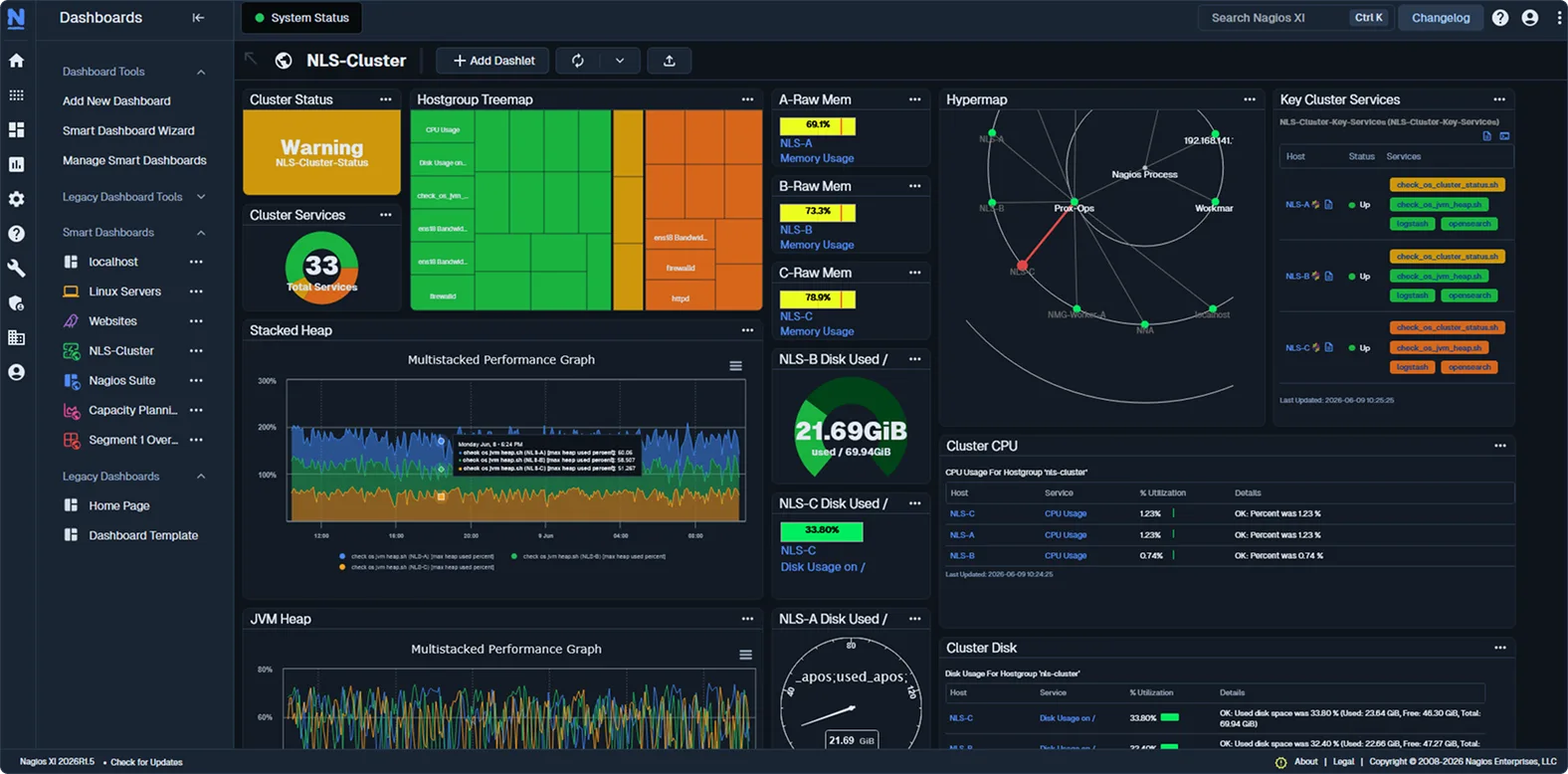
Visualize Your Data, Detect Issues, and Resolve Problems Faster

See Nagios XI In Action

Schedule a personalized demo and discover how Nagios XI can transform your infrastructure monitoring.

No credit card required
Setup in 30 minutes
Hybrid deployment options
Solutions

Everything You Need To Monitor. All In One Platform.

SNMP Monitoring Icon

SNMP Monitoring

Monitor routers, switches, and network devices using SNMP protocols. Auto-discovery maps your infrastructure automatically.

Explore more
Network Monitoring Icon

Network Monitoring

Comprehensive network visibility with bandwidth tracking and intelligent threshold alerts to prevent bottlenecks.

Explore more
Docker Monitoring Icon

Docker Monitoring

Monitor container health, resource usage, and orchestration platforms across your containerized infrastructure.

Explore more
Windows Monitoring Icon

Windows Monitoring

Track Windows services, event logs, and performance counters to maintain server health and prevent downtime.

Explore more
MS SQL Monitoring Icon

MS SQL Monitoring

Monitor SQL Server performance, query execution times, and transaction logs to optimize database efficiency.

Explore more
SSL Certificate Monitoring Icon

SSL Certificate Monitoring

Validate certificate chains and receive configurable expiration warnings to prevent certificate-related outages.

Explore more
SNMP Trap Management Icon

SNMP Trap Management

Filter and prioritize SNMP traps from network devices to transform alerts into actionable intelligence.

Explore more
Server Monitoring Icon

Server Monitoring

Unified monitoring for physical, virtual, and cloud servers with customizable performance baselines.

Explore more
Linux Monitoring Icon

Linux Monitoring

Track system metrics, log files, and processes across all Linux distributions with flexible monitoring options.

Explore more
Case Studies

Customer Success Stories

See how organizations worldwide use Nagios XI to monitor critical infrastructure, reduce downtime, and gain complete visibility across their IT environments. 

CASE STUDY

Amman Stock Exchange

Financial Services

THE CHALLENGE

Complex trading infrastructure across three data centers required robust monitoring with zero latency tolerance and SMS alerting independent of internet connectivity.

300

Nodes Monitored

4000+

Services Tracked

KEY OUTCOMES

check

Scaled from 200 to 300 nodes as infrastructure grew

check

Zero-latency monitoring for critical trading systems

check Custom SMS alerting without internet dependency
check

Complete visibility across all critical systems

“If we can monitor it, we can control it. We are alerted to things we can fix before they become big problems.”

– Fadi Sodah, Director of ICT

Testimonials

What Our Customers Say

We’ve worked with thousands of businesses of all sizes across the globe. Read what they have to say about our solutions.

Nagios XI Perpetual Pricing

Perpetual License Pricing

One-time licensing that scales with your infrastructure, with optional annual Maintenance & Support Plans available.

Free

Manage and monitor small-scale environments.

Find the right plan for you with our XI Plan Calculator

  • Includes 7 Nodes or 100 Services – whichever is reached first
  • Includes most features of the Standard license
  • Support is not included

License Levels

Price

7 Node || 100 Service

Free

Standard

Manage and monitor small to medium environments.

Find the right plan for you with our XI Plan Calculator

  • Infrastructure monitoring and graphing
  • Open API to connect to existing technology stack
  • Enhanced alerting and reporting
  • Built-in automation capabilities
  • Configuration GUI
  • 70+ Configuration Wizards

License Levels

Price

100-Node

$2,595

200-Node

$4,395

300-Node

$6,195

400-Node

$7,295

500-Node

$8,295

750-Node

$11,495

1000-Node

$14,995

2000-Node+

Enterprise

Premium monitoring for small to medium environments.

Find the right plan for you with our XI Plan Calculator

  • Available as an add-on to any Nagios XI license level
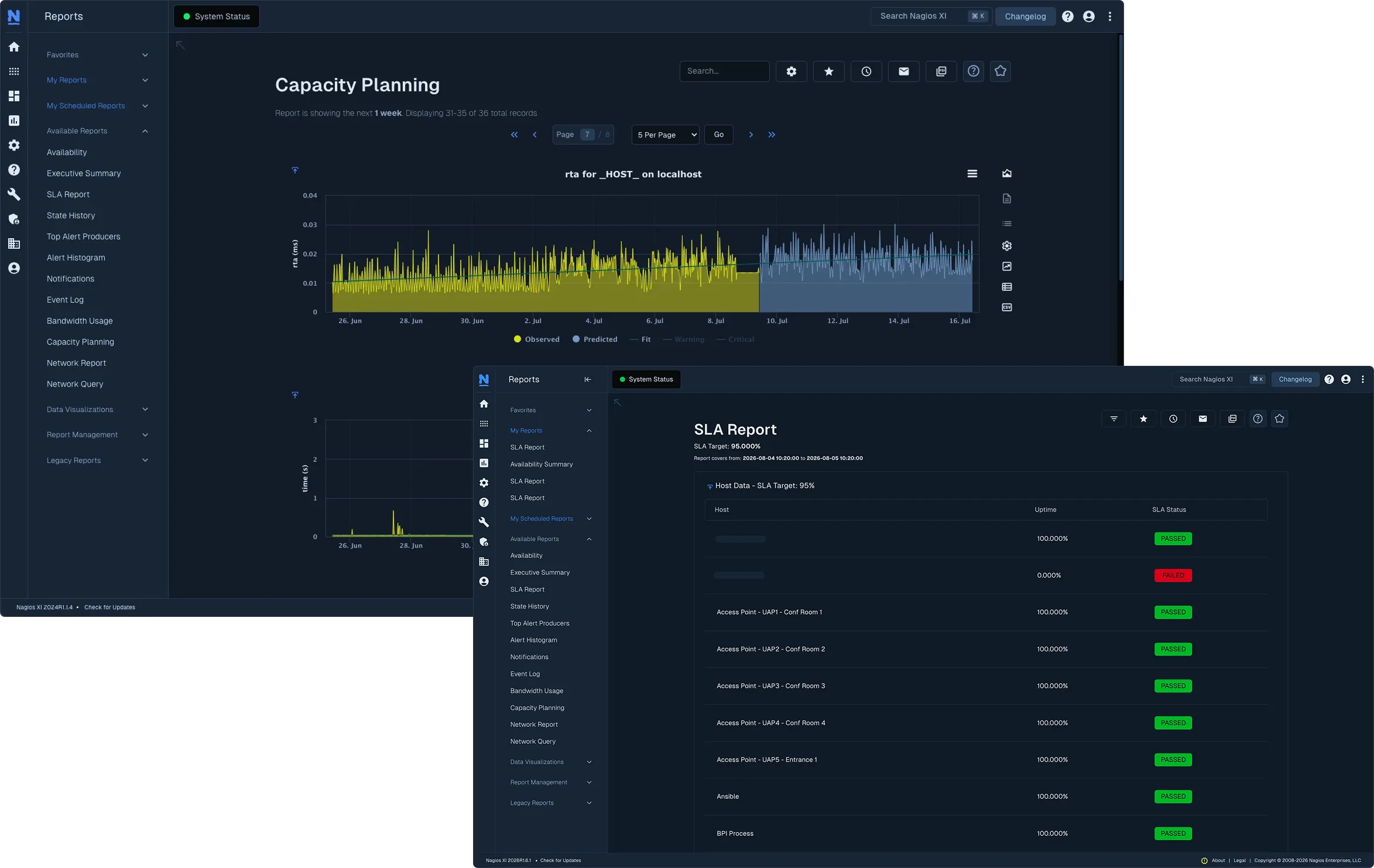
  • Service-Level Agreement (SLA) reports
  • Includes all features of the Standard License
  • Business Process Intelligence (BPI)
  • Capacity Planning
  • Ability to schedule reports
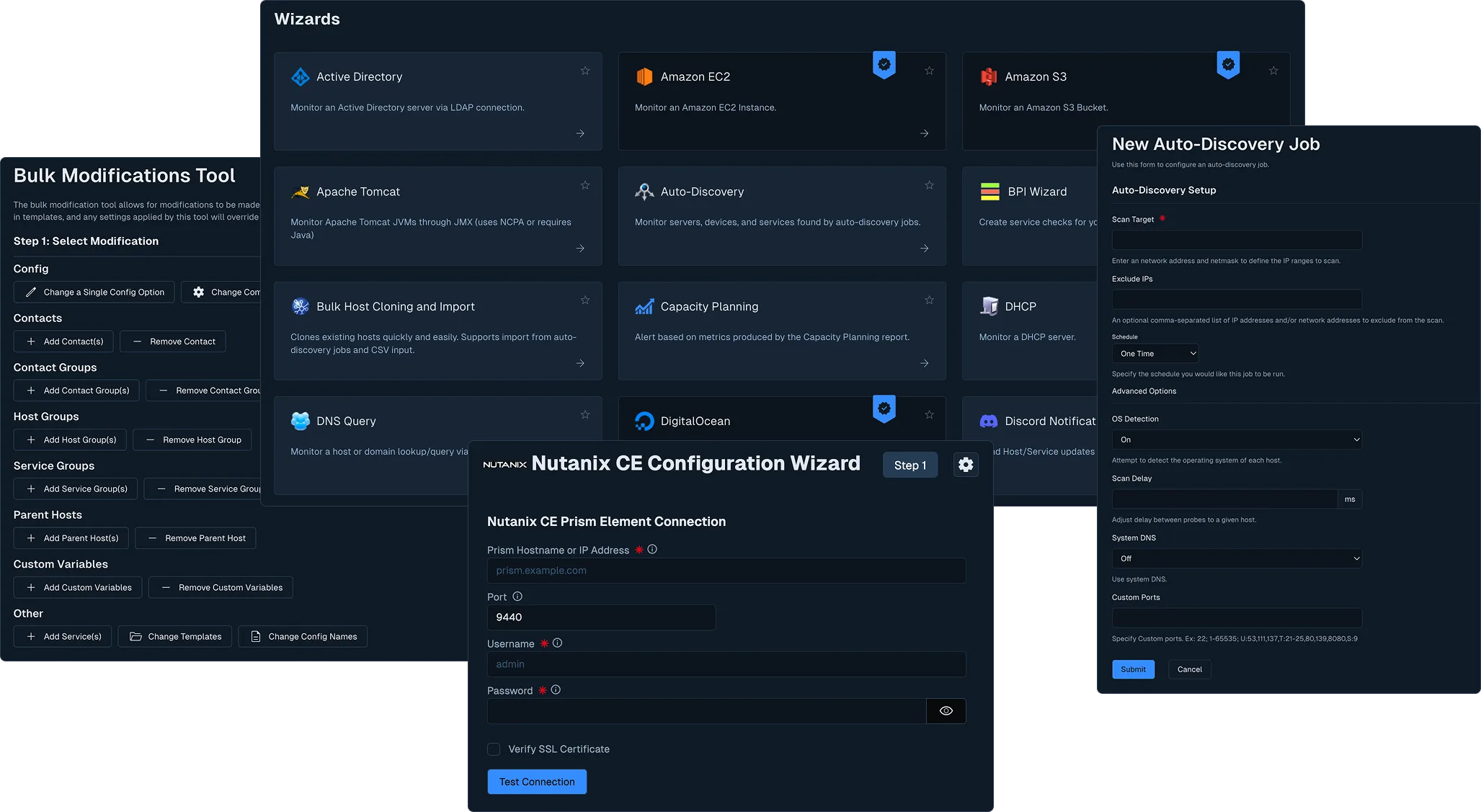
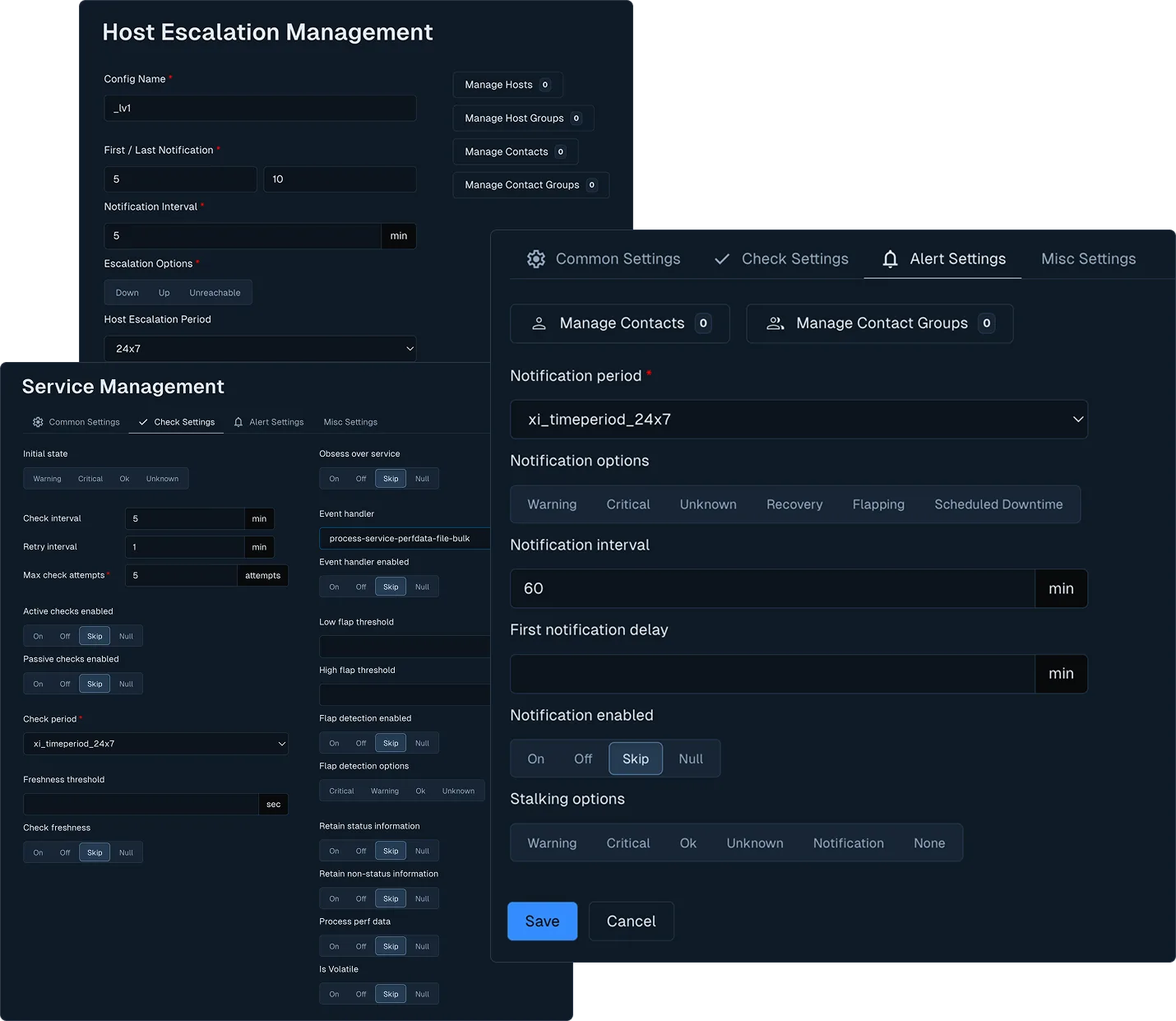
  • Bulk Modification Tools
  • Audit logs

License Levels

Price

100-Node

$4,690

200-Node

$6,490

300-Node

$8,290

400-Node

$9,390

500-Node

$10,390

750-Node

$13,590

1000-Node

$17,090

2000-Node+

Sitewide

Superior monitoring for large or distributed environments. 

Find the right plan for you with our XI Plan Calculator

  • Enterprise Features included for free with all Sitewide packages
  • Connect site to site for easier large-environment monitoring
  • Includes multiple instances of our Unlimited Node Nagios XI
  • Ideal for large-scale deployments of Nagios XI
  • Substantial discount + Free Nagios Fusion license
  • Allows for distributed setup of Nagios XI

License Levels

Price

Multiple Unlimited Nodes

*Nagios XI's plans are primarily based on the Node-count of the license. A Node is anything with an IP address or Fully Qualified Domain Name (FQDN) that you would like to monitor (switches, routers, firewalls, workstations, and other network devices). There are no restrictions on the number of Services you can monitor. While paid licenses of Nagios XI do not contain any software-imposed limitations, we have found that systems performing more than 15,000-20,000 checks in a 5-minute interval should consider following our Server Considerations Guide to ensure the best performance on your installation.

Nagios XI also offers an Enterprise add-on which enhances the software's capabilities. This addition allows users to schedule reports, project future values with capacity planning, and much more. Refer to our Enterprise documentation or contact a Nagios sales representative to learn more about the capabilities of the Enterprise-level license.

With the purchase of a Nagios XI license, you receive access to Premium Features as part of your Maintenance & Support benefits for the first year. After the first year, renewal of your Maintenance & Support plan is required to maintain this feature set. This includes features such as Single-Sign On (SSO) via MS Azure AD, the Nagios Mod-Gearman user interface, and a collection of premium Wizards!

To learn more and see the full list of features, you can visit our article on Premium Features or email [email protected].

System Requirements

See our Nagios XI – Hardware Requirements document for more information.

Hardware Specifications

Minimum and recommended system requirements for optimal performance

Hardware
hard drive 1 Hard Drive
memory stick Memory
cpu Processor
shield Architecture
Minimum
8 GB
1 GB
1 GHz
64-bit
Recommended
40 GB
4 GB
2+ GHz (two or more cores recommended)
64-bit

Note: These requirements may vary based on your specific monitoring environment, number of monitored hosts, and check frequency. For enterprise deployments, consider exceeding the recommended specifications.

Frequently Asked Questions

How is Nagios XI licensed?

The XI system is comprised of two categories of licensed code: 1) Open-Source foundation cores and components like Core, PNP, and NDOUtils, and 2) The XI UI and system frameworks. The XI UI and system frameworks are released under a commercial license and contain some code used under license by Nagios Enterprises that cannot be released under an OSS license. Purchasing an XI license grants you a perpetual license to use the XI UI and system frameworks, including the licensed code.

What’s the difference between XI Standard Edition and XI Enterprise Edition?

The Standard Edition of XI is equipped with time-saving features, including easy-to-use Configuration Wizards, advanced multi-tenancy capabilities, and a customizable GUI. A step up from the Standard Edition of XI, the Enterprise Edition has all standard features plus additional features, such as capacity planning, bulk modification, scheduled reports, and more.

Compare Nagios XI editions feature by feature.

What are the premium features in Nagios XI?

Premium features introduced in Nagios XI 2024R2 include Single Sign-On (SSO) and Premium Wizards for Prometheus, Zabbix Agent, vSphere, Oracle (Tablespace, Serverspace, Query), OpenAI Usage, MSSQL (Query, Server, Database), Kubernetes, Hyper-V, Docker, Cloud VM (DigitalOcean, Google Cloud, Linode, Microsoft-Azure Cloud, Rackspace Cloud), Amazon EC2, and Amazon S3.

Is there a free edition of Nagios XI?

Yes, XI is available free of charge for monitoring small environments. XI installations with a free license can monitor up to seven (7) hosts (nodes) and up to 100 total host and service checks. The free license is self-supported. Students may qualify for increased or unrestricted monitoring limits based on their needs and qualifications.

What’s included in the Nagios XI free trial?

The Nagios XI free trial provides full access to all Enterprise Edition features for 30 days, allowing you to evaluate the complete platform before making a purchase decision. Learn more about the free trial.

Are there any additional costs for a test or back-up installation of Nagios XI?

No, a single XI license includes three separate installs: One production install, one backup/failover install, and one testing/development install. This allows for an active-passive failover model, but if you would like to have an active-active setup, then you would need one license for each system. How you engineer the failover is up to you.

What does my Nagios XI purchase include?

The initial purchase of any of our commercial solutions includes the first year of license benefits. These benefits allow customers to access version upgrades for one year, submit up to ten support cases, and access our support portal. Optional phone support contracts are available to customers who require additional support services.

See Maintenance & Support Plan options.

Can I use custom and community add-ons with Nagios XI?

Yes, many of our plugins and add-ons can work with either XI or Core and are released under an OSS license. Because Nagios XI uses Nagios Core as a monitoring engine, you can use your custom Nagios plugins and event handlers, as well as community add-ons to extend XI’s native functionality.

Can Nagios XI be deployed to physical servers?

Yes, we distribute XI as a virtual machine to ensure you get it up and running quickly. Manual installation is possible to physical servers running RHEL or CentOS and is available to customers that require it.

Can my Nagios Core installation be migrated to Nagios XI?

We provide both an automatic and a manual method for migrating from Nagios Core to Nagios XI. For full details, see Migrating from Nagios Core to Nagios XI.

Ready To Eliminate Monitoring Blind Spots?

Join thousands of teams who’ve eliminated downtime and reduced costs with Nagios XI.

No credit card required • Setup in 30 minutes • Hybrid deployment options





